EMS
| Català | Castellano | English |
Ex Officio Withdrawal: Direction, Head of Studies and Coexistence
This guide explains what Direction (the green light), the Head of Studies (follow-up and decisions on the tutor’s behalf) and Coexistence or the management team (the steps of the compulsory circuit) do in an ex officio withdrawal case file.
Required role: Director, Head of Studies or Deputy Head of Studies; Coexistence coordinator for their steps (also the Administrator)
Contents
- Where to find the case files
- What the Head of Studies can do
- The Coexistence steps (compulsory)
- Direction’s green light
- The history and the case file as a PDF
Where to find the case files
Go to: Academic management → Ex officio withdrawals. You see every case file of the centre, with the step each one is at. How they start and what the tutor does is explained in the tutor’s manual; the Secretariat’s steps, in the Secretariat’s.
What the Head of Studies can do
The Head of Studies and the Deputy Head of Studies can do what the tutor does in any case file: start or dismiss a proposal, do the tutor’s step and review the roll-calls that say otherwise. However, they can only open a new case file (Request ex officio withdrawal) for the students of the tutors below them.
The Coexistence steps (compulsory)
In the compulsory circuit, the tutor’s Coexistence coordinator (or the management team) has two steps:
- Contact by Coexistence, after 15 days: a phone call to the family, with the I reached them / I did not reach them buttons, like the tutor.
- Notice to Social Services, after a month: the case file prepares the text of the notice, with the actions taken so far. Copy it with Copy the text, send it yourself by email and tick that you sent it.
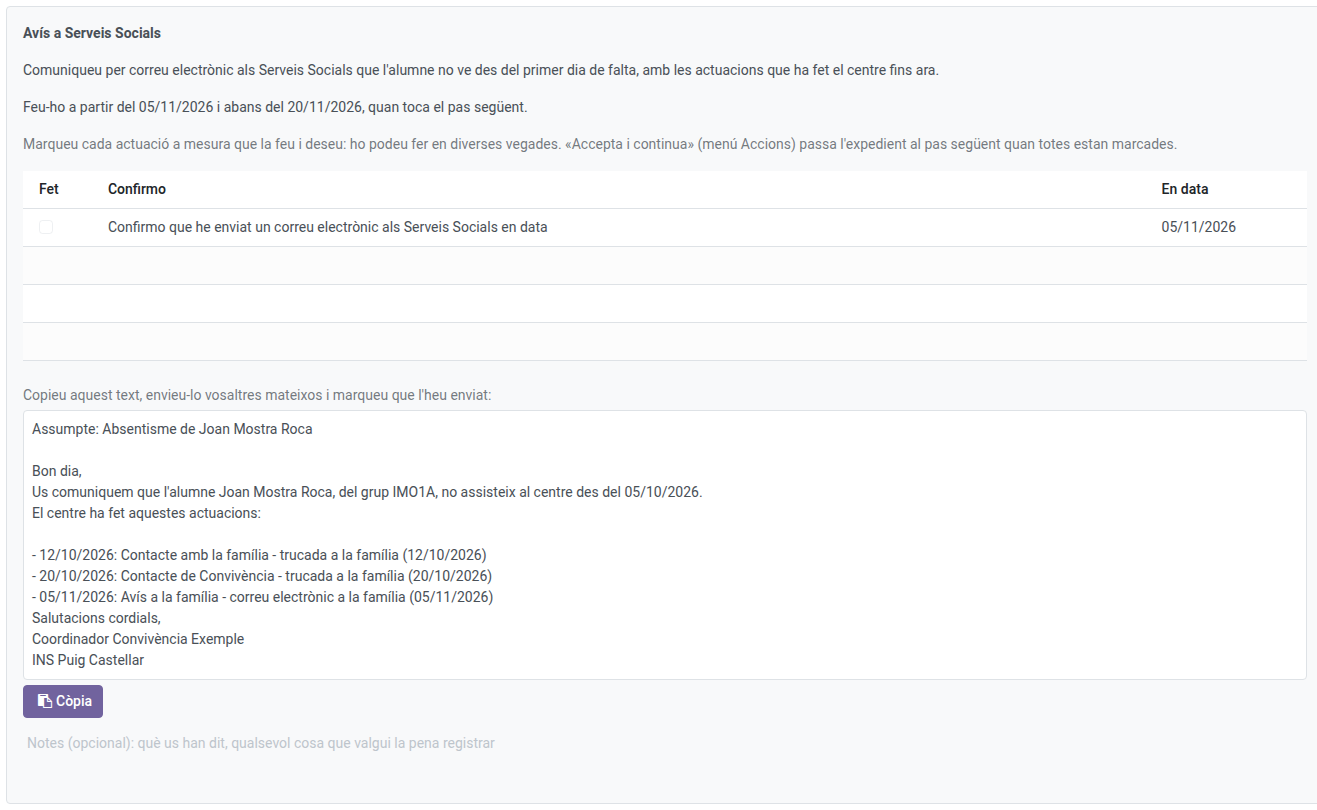
Once everything is ticked, Actions → Accept and continue.
Direction’s green light
When the term ends (15 school days or 2 months), Direction gets the task. Check in the history that every step was done and that the student is still not coming:
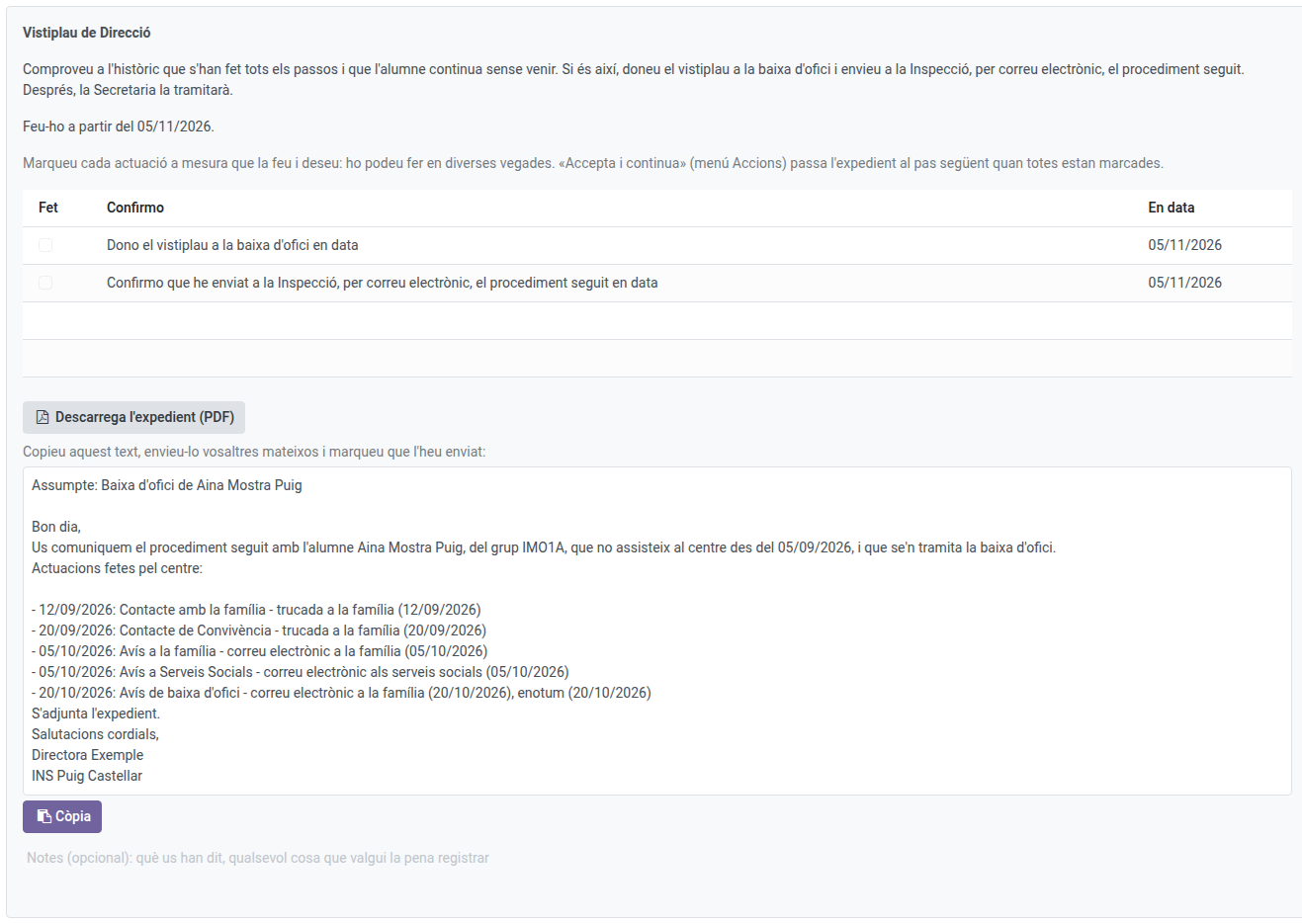
- Give the green light: tick I give the green light to the ex officio withdrawal and accept the step. The student becomes an Expected withdrawal (they no longer appear in the roll-calls) and the Secretariat processes their withdrawal.
- In compulsory, the procedure must also be sent to the Inspection: download the case file with Download the case file (PDF), copy the text prepared, send it yourself by email and tick that you sent it.
- Not giving it: if the student came back or justified the absences, Actions → Close without a withdrawal, with the reason and a note. The case file closes.
The history and the case file as a PDF
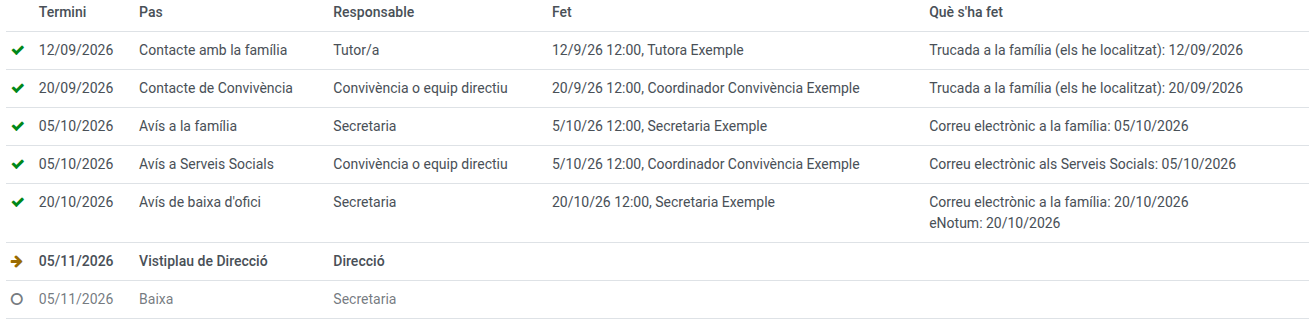
The History of each case file shows every step: when each was due, who did it and when, and what was ticked. Pending steps are greyed out.
Once the case file is over (withdrawn or cancelled), Actions → Print the case file generates its PDF, always in the centre language.