EMS
| Català | Castellano | English |
Consulting a Student’s Academic Data
Required role: Teacher (academic history) · Guidance or Coexistence coordinator (all other data)
Consult a Student’s Academic History
The academic history is the frozen, per-course record of a student’s progress: course, study programme, group, tutor, academic result, title obtained and attendance rate. Any teacher can consult any student’s history.
From the student’s file: Educational Community → Students → [open the student] → Studies tab, Academic history section (at the end).
From its own menu: Planning and Grading → Grades → Academic history. The list opens grouped by course: click a course to expand it, or type the student’s name in the search box.
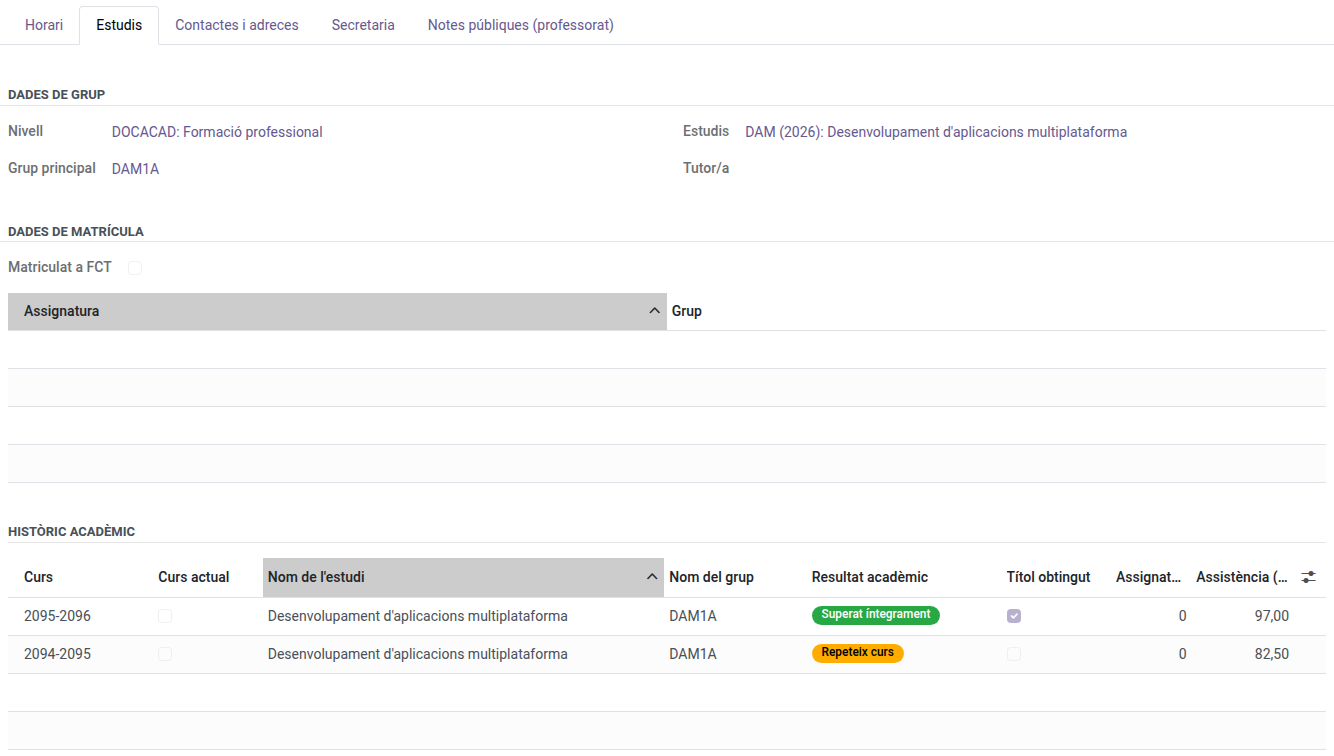
It is read-only. To correct a record, contact the Secretary or the Administrator.
If a student has a subject convalidated during the current course, the history already shows a record marked Current course with the convalidation’s grade and the CV mark. The rest of the course is added when it closes.
Consult Any Student’s Data (Guidance and Coexistence)
Holding the Guidance coordinator or Coexistence coordinator role, you consult the data of every student in the centre, not only your own tutees’:
- Grades — Planning and Grading → Grades → Evaluation by group and subject.
- Academic history — as described above.
- Daily attendance and justifications — Student’s Attendances.
- Attendance issues — Student’s Attendances → Issues.
- Strikes — Coexistence.
- Student file — Educational Community → Students, including the Secretary tab (bonifications, exemptions and enrolment authorizations).
All of it is read-only, except the special educational needs for Guidance (see the next section), and it does not include invoices or payments.
Set a Student’s Special Educational Needs (Guidance)
Holding the Guidance coordinator role, you set the special educational needs (NEE) typology of any student or applicant in the centre:
- Educational Community → Students → [open the student].
- At the top of the form, in the Personal data column, in the Special educational needs field, pick NEE-A or NEE-B, or leave it empty if the student has none.
- Click Save.
For an applicant, the field is in the Applicant data tab. The rest of the file stays read-only.
Find a Student
Academic management → Enrollment → Students, then type the name in the search box. The list shows every student in the centre.