EMS
| Català | Castellano | English |
Changing a Student’s Group
Sometimes a student needs to move from one group to another (e.g. from group A to group B) within the same study. As their tutor, you can do this yourself from the student’s own form.
Required role: Tutor
How to change a student’s group
- Open the student’s form (Educational Community → Students, your own tutored students).
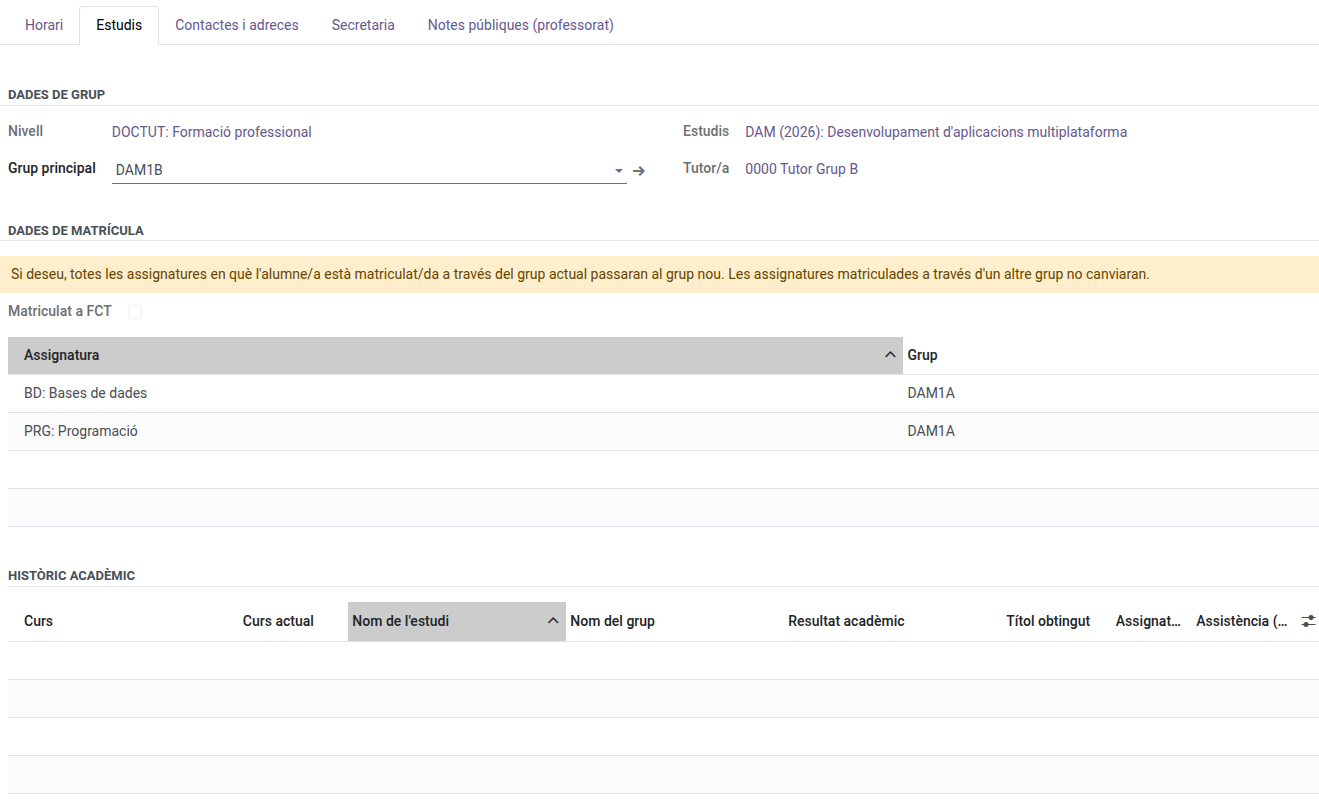
- Go to the Studies tab.
- Change the Main Group field to the destination group. Only groups of the same study/level are offered — you cannot move a student to a different study this way.
-
A yellow warning appears at the top of the enrollment data, reminding you that saving will move the student’s subjects to the new group. Save when ready.
What happens automatically
Any subject the student was enrolled in through the old group moves automatically to the new group — you do not need to re-enroll them subject by subject. Their attendance schedule and any open evaluation round update accordingly.
A subject the student was already enrolled in through a different group (for example, a reinforcement group) is left untouched — only the enrollments that were actually in the old main group move.
If the move is rejected: this means a subject in the old group already has grades recorded for this student. Contact an administrator to resolve this before moving the student.