EMS
| Català | Castellano | English |
Grading the work placement (EM)
Students do not finish their work placement (estada a l’empresa) at the same time: each one starts on a different date and does a different number of hours. As soon as one of your students finishes, you can enter their placement grade — you do not have to wait for the rest of the group, nor for the evaluation board.
The grade you enter is applied to every module of that student carrying a placement weight (typically 90% centre + 10% placement), both in the modules of the course in progress and in the modules of previous courses whose final grade was left pending precisely because the placement had not been done yet.
Where to find it
Planning and Grading → Grades → Work placement evaluation (EM).

How to enter the grade
-
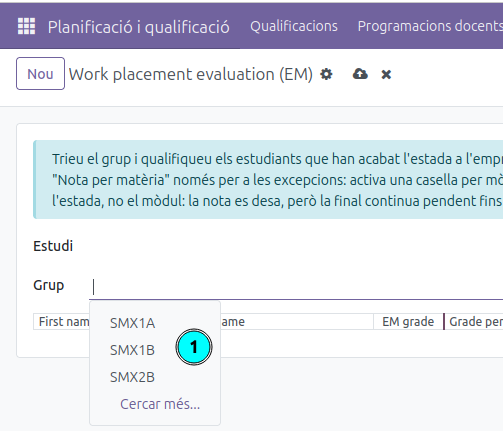
Pick the Group. As a tutor you pick it straight away: only the groups you tutor are offered.
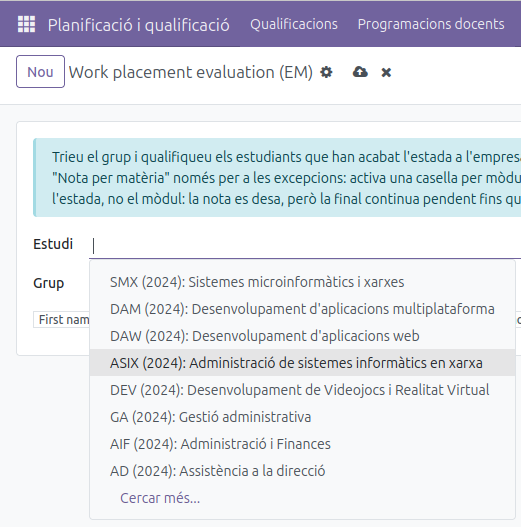
The secretariat and the administrators reach any group of the centre, so they should first pick the Study to narrow the group list down:
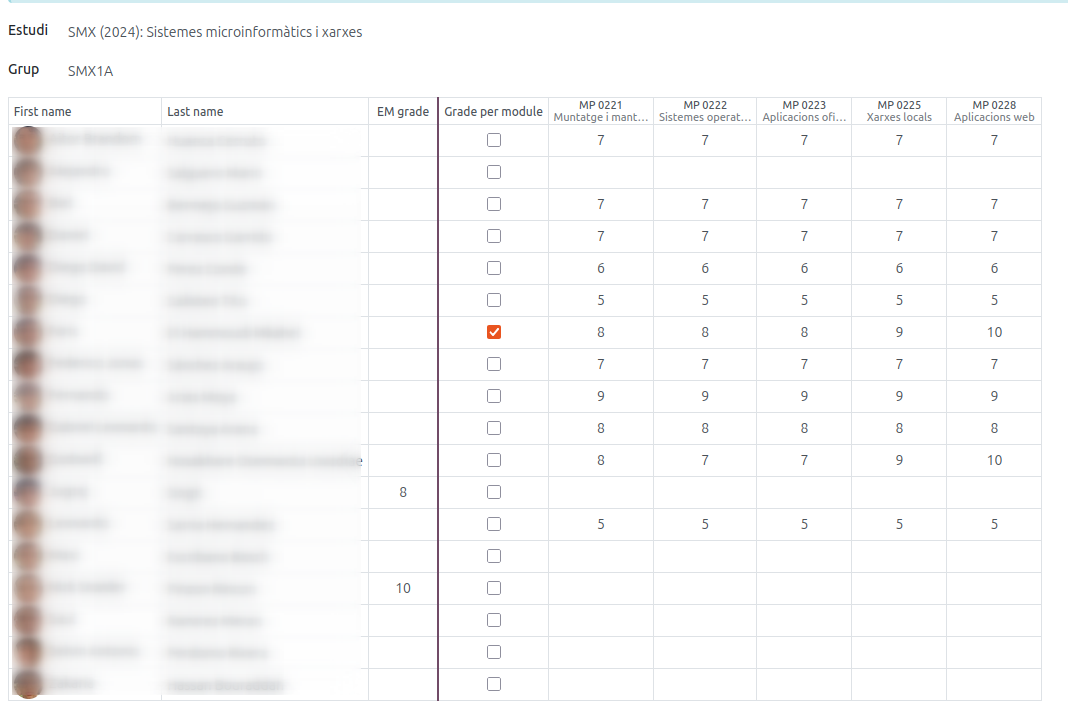
- The matrix shows one row per student, with their photo, first name and last name — like the evaluation screen you already know.
- Type the grade in the EM grade cell of the students who have finished their placement. That single grade goes to every module of theirs carrying a placement weight.
- Press Apply changes.
The grid works like a spreadsheet: the arrows and Enter move from cell to cell, Tab jumps to the next one, and you can paste a column of grades straight from a spreadsheet (click the first cell and paste). An empty cell is never written — remember a 0 is a real grade, so blank means “no placement grade yet”.
A different grade in each module
Tick Grade per module on that student’s row: the single EM grade is switched off and one cell per module turns on, so you can grade each module on its own. The module columns are headed by the module code, with its name underneath.
The header of each module column tells you where its grade goes:
- Current course: a module of the course in progress. The final grade of the module is recalculated on the spot with the centre grade already registered.
- Previous course: a module of an earlier course, already in the student’s academic history, that was waiting for the placement to close its final grade. The final is completed with the weights that module had at the time.
Modules with no placement weight never appear here: their final grade does not depend on the placement.
A grade below 5: the placement is repeated, not the module
A failed placement never fails the module. The module stays passed (it is the learning outcomes that decide that), the grade you entered is kept for the record, and the final grade stays pending until the student does the placement again. When they do, grade it again here and the final will be completed.
Notes
- A module that has already been graded can still be corrected: enter the new grade and apply again.
- Entering the placement grade works even after the evaluation session has been finalised — that is the normal case, since the placement usually ends after the board.
- Ex-students (withdrawals and alumni) are never listed: they have left the centre and their history is closed.
For the secretariat: closing the finals pending from previous courses
The secretariat and the administrators use this same screen, with no restriction of group. It is the way to close the finals still pending from previous courses — a student who passed all the learning outcomes of a module but whose final grade could not be computed because the placement had not been done yet.
To find them: Planning and Grading → Grades → Academic history, filter Finals pending placement. Every line there is a module of a past course waiting for its placement grade — exactly the cells the matrix offers under a Previous course heading, whose final it completes with the weights frozen in the history record.