EMS
| Català | Castellano | English |
Registering the titles obtained
This guide explains how to record in the academic history that a student obtained a title (ESO, Batxillerat…), either for a whole list of students or for one student, and what happens to each student when you do.
Contents
What registering a title does
The title is marked in the student’s academic history, in the record of the course it was obtained in, and the student is marked as graduated. Then, depending on the student’s situation:
| Situation | What happens |
|---|---|
| Studying at the centre (has a group) | Only the title is marked. |
| Active but without a group (not studying here any more) | Leaves the centre as a graduate: the pending enrollments are cancelled, the portal access is revoked, the Google account suspension is scheduled and the contact is archived as Alumni. |
| Registered as a withdrawal | Becomes Alumni. The withdrawal data (date and course) is kept. |
The academic record of that course must already exist in the history.
Importing the titles of a course
Use it with the list of title requests exported from Esfera, or with any list of the students who graduated.
- Go to Planning and Grading → Grades → Import titles.
- Choose the file (CSV or Excel).
- Check the Course: it shows the previous course by default. Change it if the titles belong to another course.
- Click Preview.
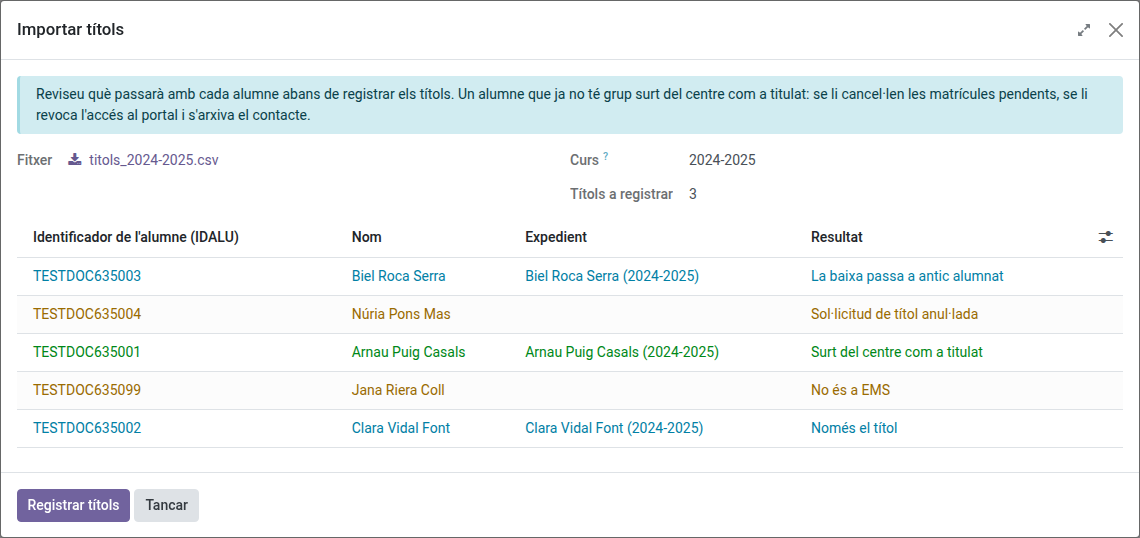
- Check the result of each student, then click Register titles and confirm.
When it finishes, the wizard shows a summary (titles registered, students who left the centre, withdrawals that became alumni and rows not registered) and downloads a CSV file with the result of every row of the file. You can download it again with Download import log (CSV).
The only column the file needs is the student identifier, named Identificador de l’alumne/a (as Esfera exports it) or IDALU. If the file also has these columns, they are used too:
- Curs: rows of a course different from the one chosen are left out.
- Estat de la sol·licitud: a cancelled request does not count, unless the student has another one in the file.
- Nom, Primer cognom, Segon cognom: shown for the students not found in EMS.
The preview shows one of these results for each student:
| Result | Meaning |
|---|---|
| Leaves the centre as a graduate | Active student without a group. |
| Title only | Student still studying at the centre. |
| Withdrawal becomes alumni | Student registered as a withdrawal. |
| Title already registered | Nothing to do. |
| No academic record for the course | The student has no record of that course in the history: the title is not registered. |
| Not found in EMS | No contact has that identifier. |
| Title request cancelled | All the student’s requests in the file are cancelled. |
| Another course | The row belongs to another course. |
Only the first three results are registered.
Registering the title of one student
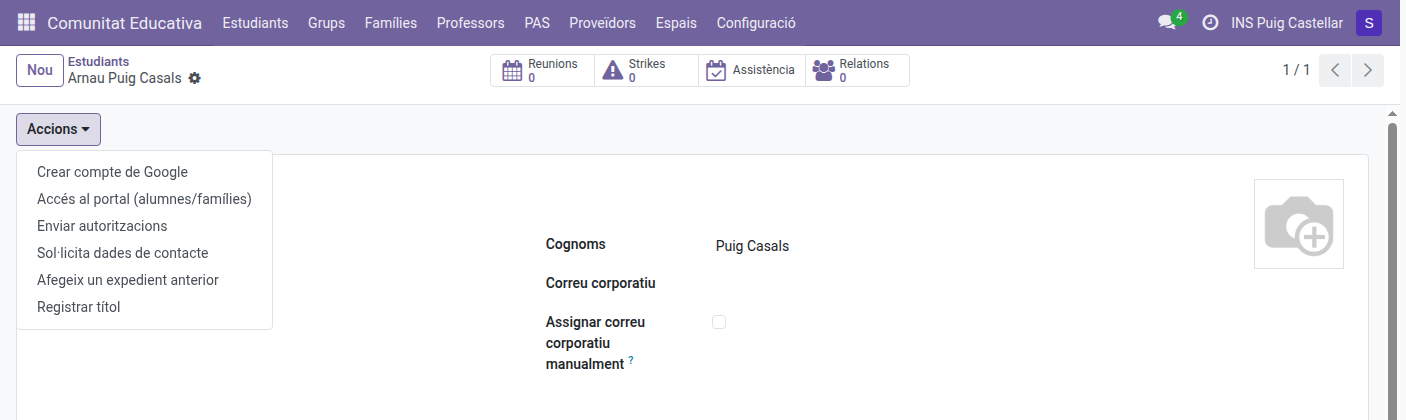
- Open the student’s form.
- Click Actions → Register title.
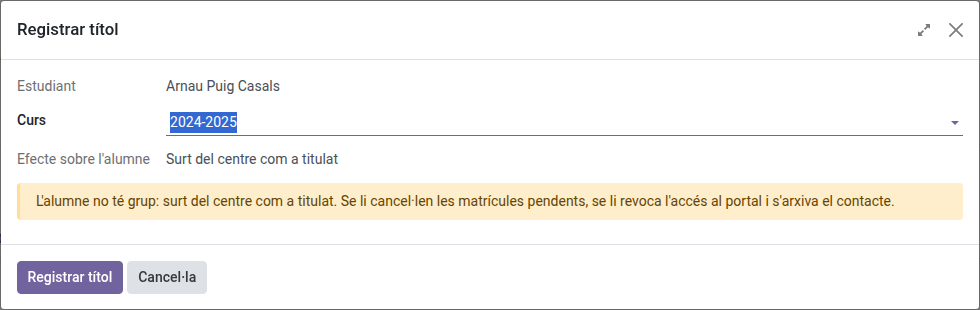
- Choose the Course of the academic history the title was obtained in (the latest course without a title comes selected).
- Check the Effect on the student and click Register title.
You can also tick Title obtained directly on a record of the academic history (Planning and Grading → Grades → Academic history): it has the same effects.