EMS
| Català | Castellano | English |
Levels
Levels represent the different educational stages or study cycles of the institution (e.g., Secondary Education, VET, Baccalaureate). They form the top of the curriculum hierarchy: each Level groups related Studies, which in turn group Class Groups.
Required role: Administrator
Access
Navigate to: Educational Community → Configuration → Curriculum → Levels
View All Levels
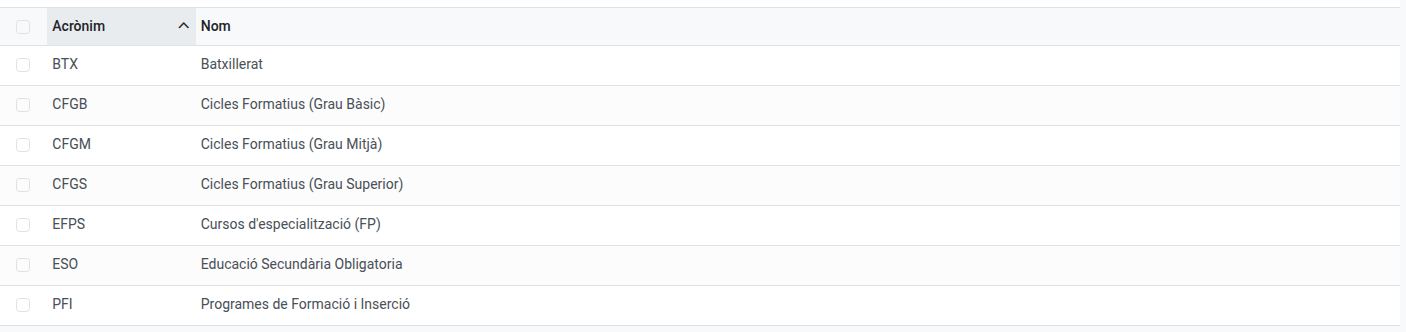
Opening the menu shows a list of all levels sorted alphabetically by acronym. Each row displays the acronym and the full name.
Create a Level
- Click New.
- Fill in the required fields:
- Acronym (required): Short code used across the system (e.g.,
BTX,CFGM). - Name (required): Full descriptive name (e.g.,
Batxillerat,Cicles Formatius Grau Mitjà).
- Acronym (required): Short code used across the system (e.g.,
- Tick Allows convalidations if the students of this level’s studies can request subject convalidations (see Convalidations).
- Optionally, add free-form notes in the Notes tab.
- Click Save (or use the breadcrumb to navigate away — Odoo saves automatically).
The Studies tab shows all studies linked to this level. Studies are managed from their own menu (Configuration → Curriculum → Studies) and cannot be added directly from the level form.
Edit a Level
- Open the level from the list.
- Click any field to edit it inline, or click Edit if required.
- Make your changes.
- Click Save.
Delete a Level
- Select the level in the list (tick the checkbox on the left).
- Click the Action menu (⚙) and select Delete.
- Confirm the deletion in the dialog.
Warning: A level cannot be deleted if it has linked studies. You must first delete or reassign all studies associated with it.