EMS
| Català | Castellano | English |
Academic history of your students
Every student keeps a permanent academic history: one record per course with the study, group, subjects taken (grades per learning outcome, round by round) and attendance. As a tutor you can consult the history of the students of your tutored group — useful to see at a glance where a student comes from, which subjects they carry over and whether they repeated a course.
Where to find it
Open the student’s form and go to the Studies tab: the Academic history section is at the end. Each line is one course; open it to see the subjects and, inside each subject, the grades of every learning outcome (RA) per round.
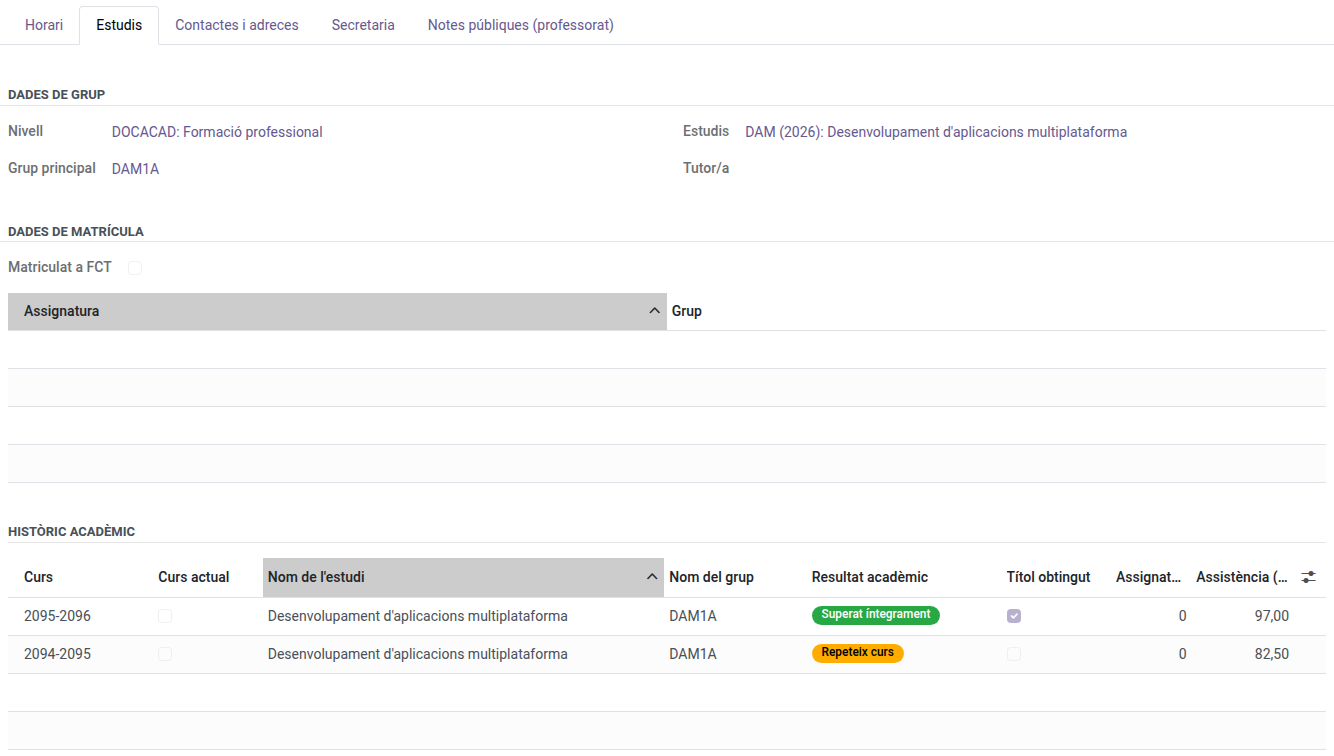
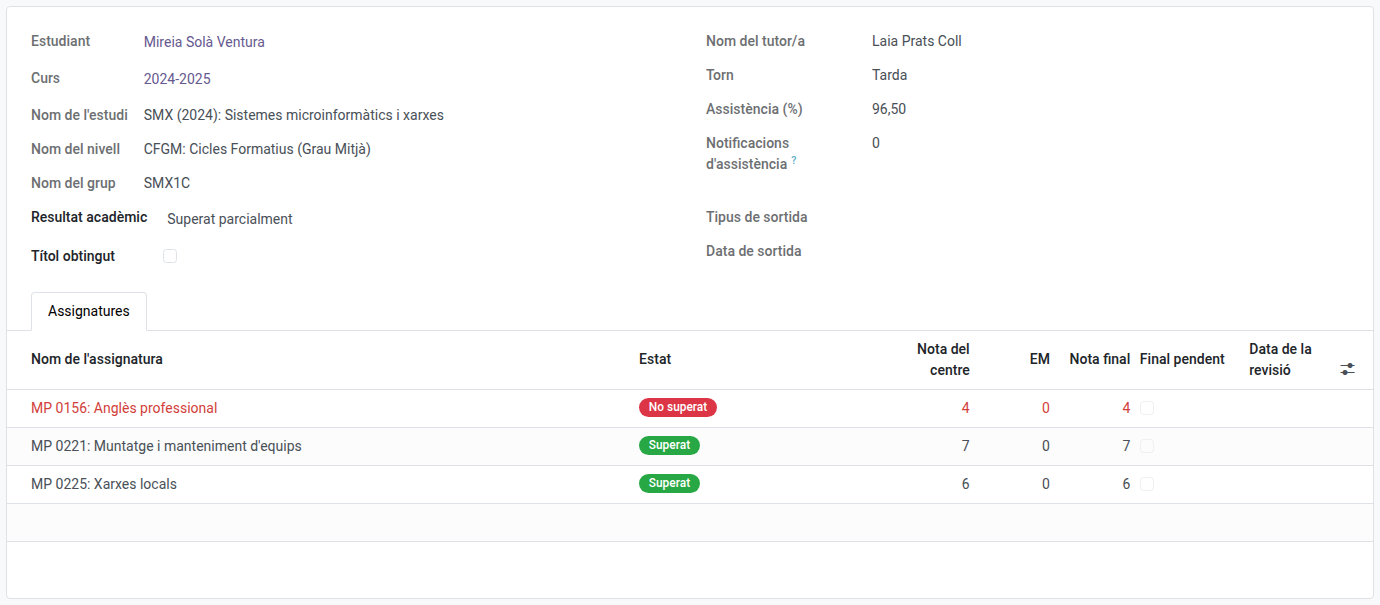
The records are ordered by study and course, so you can read each study from start to end. A repeated course appears naturally as two consecutive records of the same study and level.
How to read a record
- Academic result: Fully passed, Partially passed (promotes carrying some subject), Repeating or Withdrawn.
- Title obtained: marked when the student got the title that course.
- Subject state: Passed / Not passed, decided only by the RAs. A subject with every RA passed is passed even if the work placement (EM) is still pending: in that case the final grade stays empty (Final pending) until the placement is graded. A failed placement is repeated — it never fails the subject.
- Round columns: each RA shows the grade standing at each round; the resolved grade is the one of the last round in which it was evaluated.
- Frozen weights: the grading weights (internal/EM and per-RA) are the ones in force that course, stored with the record — the history stays valid even if the teaching plan changes later.
The history is read-only: it is a frozen copy of what the grades subsystem computed during the course. If something needs correcting, contact the secretariat or the administrator.
- Current course: a record with this mark belongs to the running course. It only holds the subjects convalidated during the course (with the grade, the CV mark and the convalidation file number); the rest of the subjects and the result are added when the course closes.
Marking a student as graduating
If one of your tutored students is in the last course of their study (e.g. 2nd of CFGM/CFGS/Batxillerat, 4th of ESO), you can mark them as graduating from Actions → Graduation on their form. This only flags it in advance — the student keeps attending classes normally, and nothing else changes until the course transition. See Marking a graduation and registering a withdrawal for the full details (that guide is written for secretariat, but the graduation-marking part applies to tutors too — withdrawal itself is secretary/admin only).